Matt's Cloudflare Kit
Add some creative flair to your personal website without the headache of backend setup.
See it live at mattmarsico.com
API Documentation
Check out the available endpoints and examples responses.
Widgets
-
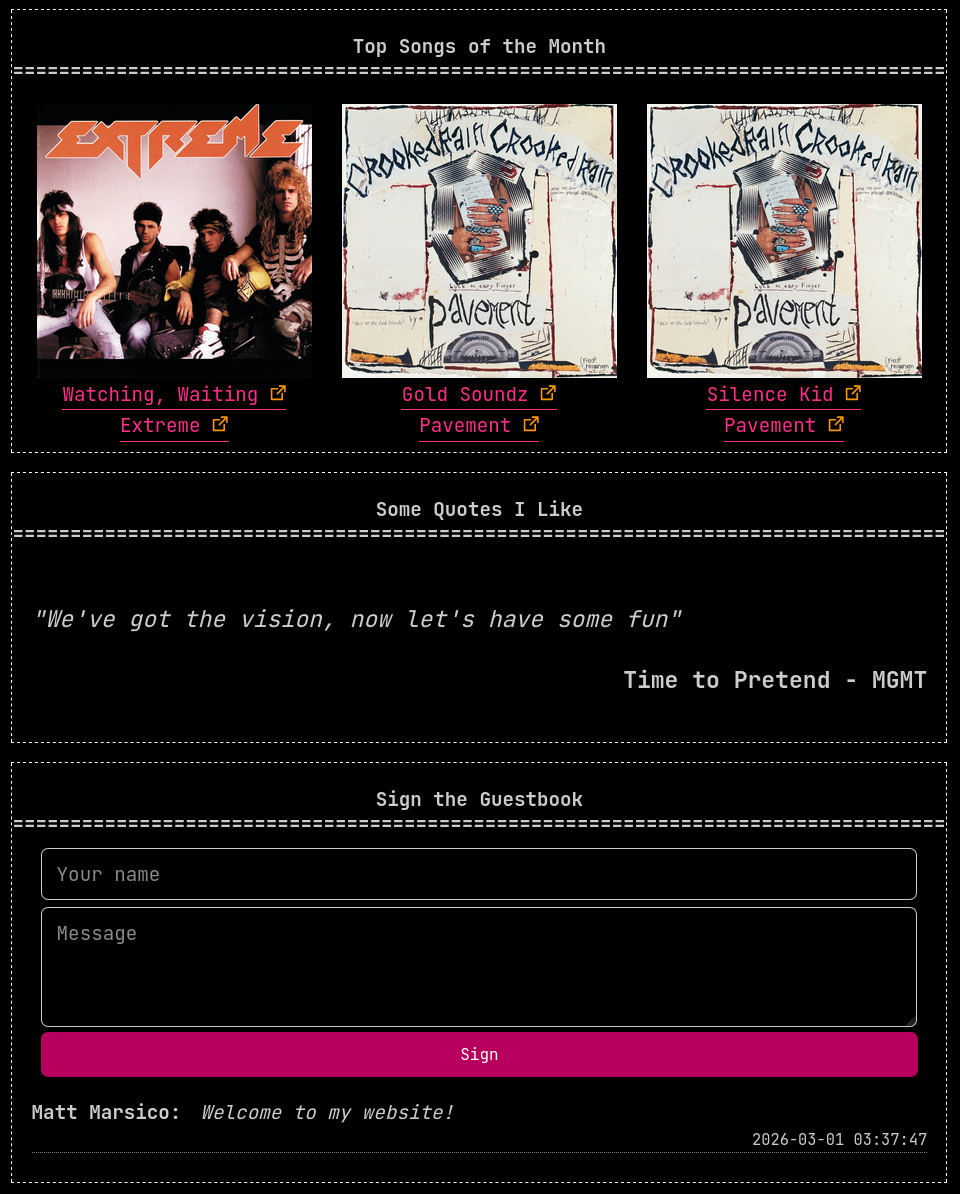
Top Tracks API - pulls your top tracks from the Spotify API to show off your favorite artists
-
Quotes API - manage your favorite lyrics, quotes, or adages and share that wisdom with the world
-
Guestbook - see who has stopped by your site and left a message
Planned Widgets
-
Lyrics Comments - use Genius to link top tracks to their lyrics and meaning
-
Comment Section - create an interactive comment section for your static site
-
Chalkboard - realtime community drawing board
-
Chatroom - talk with others, old-internet-style
-
Picture Carousel - display some of your favorite pictures in an interactive carousel component
-
Message in a Bottle - read and write a message to a random visitor
-
Live Polls & Graphs - engage with your audience concerning a specific topic
Installation and Setup
Prerequisites
- nodejs
- npm
- Cloudflare Wrangler
- Rust Cargo and Rustup
- HTMX - you must add this to your static site HTML files.
Spotify Top Tracks
-
You will need to obtain a Spotify refresh token. In the future, I plan to add a script to pull this automatically, but in the meantime you must procure this yourself.
-
Rename
wrangler_template.tomlfile towrangler.toml. -
Setup Cloudflare KV storage, creating a store named SPOTIFY_TOP_ARTISTS, and update your
wrangler.tomlfile with the relevant connection information in the spotify-top-tracks widget directory. -
Use
wrangler secret put <ITEMNAME>to push the following secretsSPOTIFY_CLIENT_ID, SPOTIFY_CLIENT_SECRET, SPOTIFY_REDIRECT_URI, SPOTIFY_REFRESH_TOKEN, entering in your Spotify API credentials. -
Run
wrangler deployin the spotify-top-tracks widget directory to push the your Cloudflare worker to production. -
Edit route rules in the Cloudflare dashboard.
Compute > Workers & Pages > spotify-top-tracks -
Add the following HTMX widget to your website.
<!-- Spotify Top Songs -->
<div
  hx-get="https://mattmarsico.com/api/top-tracks"
  hx-trigger="load"
  hx-swap="outerHTML"
><p>Loading top tracks...</p>
</div>
Guestbook
-
Rename
wrangler_template.tomlfile towrangler.toml. -
Create the D1 SQL database with
wrangler d1 create guestbook -
Copy the connection info into your
wrangler.toml -
Populate the database with the schema by running
wrangler d1 execute guestbook --file=./guestbook_schema.sql --remote. -
Add the following HTMX widget to your website.
<div class="guestbook">
  <div class="guestbook-entries"
    hx-get="/api/guestbook?page=0"
    hx-trigger="load">
    Loading guestbook...
  </div>
</div>
Quotes
Note that this widget requires some additional setup steps and leaves others more open-ended. It uses a D1 SQL database to store quotes, allowing to introduce your own method of adding quotes beyond the process given.
The easiest way to add quotes is to write them in quotes.md. The formatting of the file is body|source_media|writer with the source media being something like a song, book, article, etc; and writer being like an artist, band, author, etc.
-
Rename
wrangler_template.tomlfile towrangler.toml. -
Create the Cloudflare D1 SQL database with
wrangler d1 create quotes -
Copy the D1 connection info into your
wrangler.tomlfile -
Add your own quotes to
quotes.md -
Run the provided script
generate_schema_with_quotes.pyto produce aquotes_schema.sqlfile. -
Populate the database with the schema and your quotes by running
wrangler d1 execute quotes --file=./quotes_schema.sql --remote -
Deploy the Cloudflare worker with
wrangler deploy -
Finally, add the following HTMX widget to your website.
<!-- quotes widget -->
<div
  hx-get="https://mattmarsico.com/api/quote"
  hx-trigger="load"
  hx-swap="outerHTML"
><p>Loading a quote...</p>
</div>
Screenshots